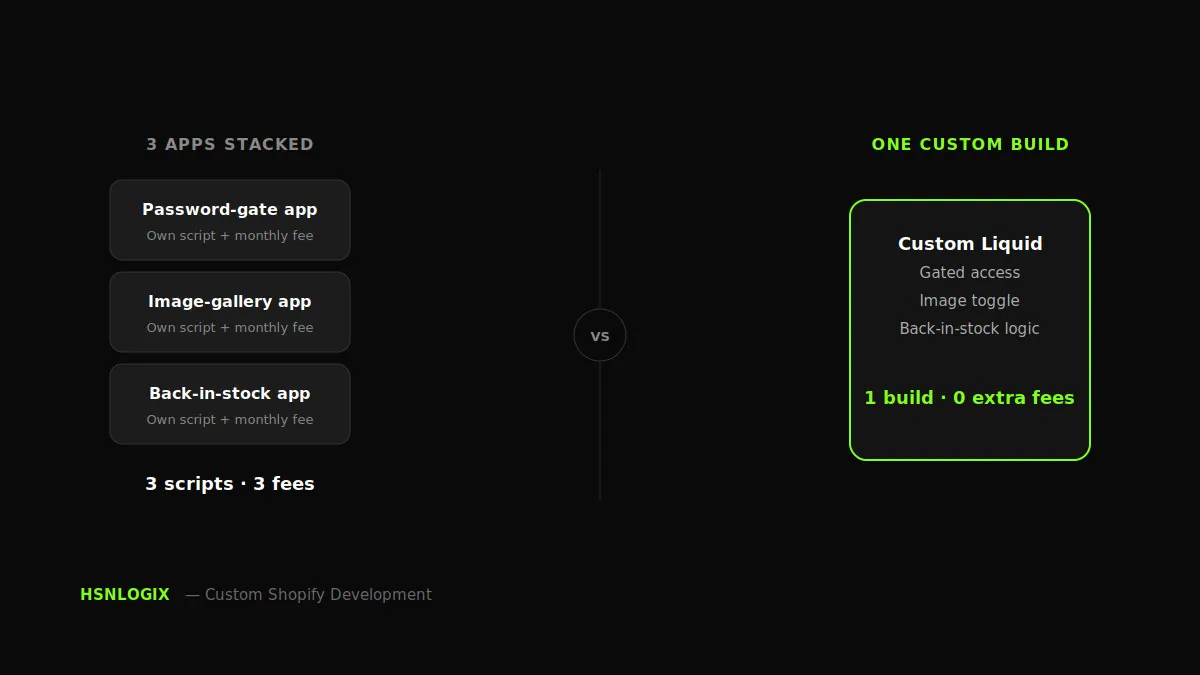
Shopify makes it easy to extend a store’s functionality through apps, but convenience can come with a performance trade-off. Many apps introduce additional JavaScript, CSS, HTML, and network requests that can increase the amount of work required to render and interact with a storefront. When several apps are installed, these additions can accumulate and contribute to slower page loads and a less responsive website experience.
These cumulative delays in page loading, as more apps are added to your store, can lead to reduced conversions. Users experiencing delays on a website may simply abandon the site and move on to another.
The performance impact varies considerably depending on how each app is implemented, what resources it loads, and where those resources are loaded. Third-party apps can add JavaScript that negatively affects storefront responsiveness, which is why auditing them regularly is good practice.
The Real Cost of App Stacking
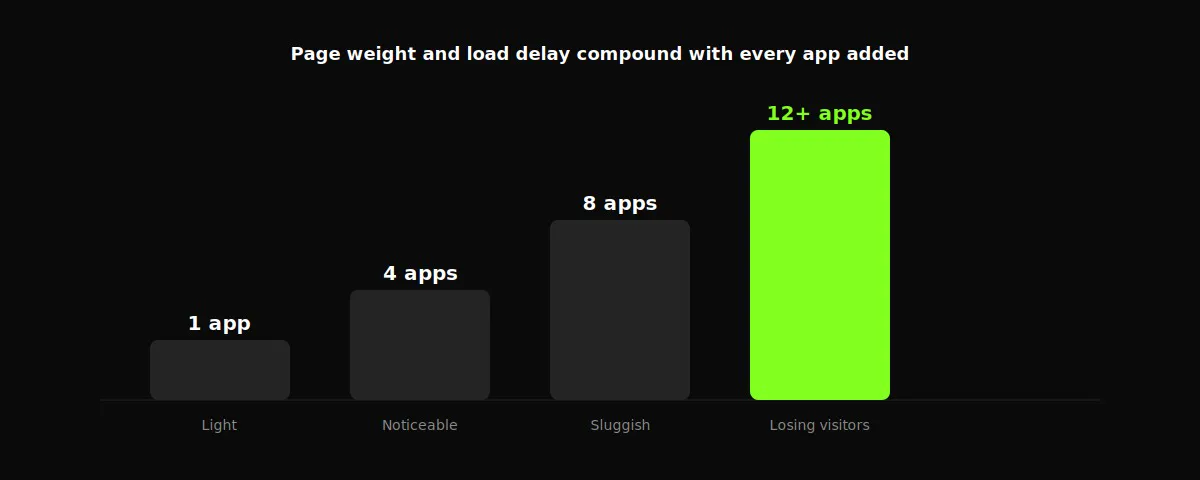
Here’s the part most Shopify store owners never connect: the sluggishness they’ve learned to live with usually isn’t a Shopify problem, it’s an app problem.
Store owners tend to assume it’s their theme, their host, or just “how Shopify is.” As more apps and third-party integrations are added, their combined JavaScript, network requests, and other resources can increase the amount of work the browser has to perform, causing page loading delays.
That delay compounds directly into lost revenue through reduced user engagement. A store carrying additional app-driven delay can lose visitors who leave before the page is usable.
Interactivity matters alongside load time too. Slower response to a tap, click, or filter selection tends to cost conversions in the same way slow page loads do, even after accounting for load time separately.
Simply put, the apps that were supposed to add features are, in aggregate, quietly taxing every single possible conversion.
Case Study 1: Booking Without a Booking App
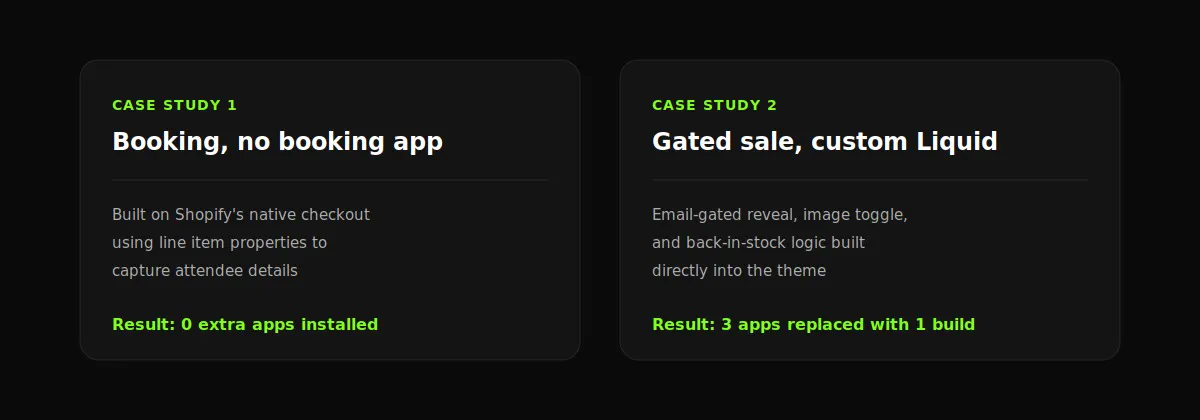
A workshops-and-events business needed a dedicated landing page for their Shopify store: a hero gallery, an upcoming-events carousel, “what to expect” info blocks, feature cards, and a way for visitors to actually book a spot. The obvious shortcut would have been a third-party event-booking app: another monthly fee, another script loaded on every page, another system half-integrated with the rest of the store.
Instead, the entire booking flow was built using Shopify’s own native checkout, with line item properties capturing attendee details at the point of purchase. No booking app was installed at all, reservations stayed fully inside Shopify’s existing checkout, which meant no extra script weight and no separate system for the store owner to manage or reconcile against actual sales. This is one of the most common patterns in Shopify app integration work: replacing a recurring app cost with a purpose-built Shopify-native solution.
The build wasn’t friction-free, though. After the custom sections were built and looked correct in the theme editor, none of them appeared on the live storefront. The cause turned out to be a market-specific template override file quietly serving a different version of the page, a layer most developers never think to check, since the theme editor gives no indication it exists. Once identified, the fix was straightforward.
Case Study 2: Gated Sales and UX Without Stacking Apps
A fashion brand needed a gated sample sale page: visitors would enter an email address to unlock access, then browse a curated selection of discounted stock. On top of that, the brand wanted a way to toggle product images between on-model and flat-lay shots, a live “back in stock” indicator, and a clear compare-at price showing the discount on each item.
Each of those features has an app built specifically for it: a password-gate app, an image-gallery app, a back-in-stock app. Installed together, that’s three separate scripts loading on every product page, three separate monthly fees, and three separate systems that don’t talk to each other.
Instead, the entire experience was built with custom Liquid theme development: the email-gated reveal, a Swiper-based carousel handling the model/flat-lay toggle, back-in-stock logic wired directly into the theme, and compare-at pricing displayed natively wherever a discount applied. The result functioned identically to what three apps would have delivered, without three apps’ worth of scripts competing for the same page load, and without three recurring line items on the merchant’s app bill.
When an Additional App Actually Makes Sense
It’s also important to realize that app stacking is not inherently bad. Saying so would be an oversimplification. It becomes an unnecessary burden on website performance when an app adds page-loading time, contributes to lower conversions, and provides functionality that could be achieved just as effectively with custom code.
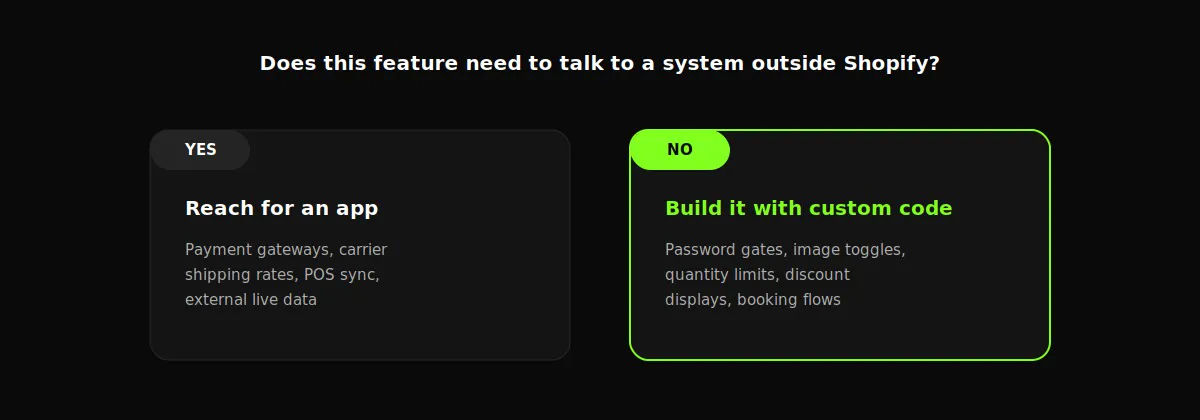
Apps make sense when they connect a store to something genuinely external, a real third-party service that Shopify itself has no native way to provide. Payment gateways beyond Shopify’s own checkout, real-time shipping-rate calculations from a specific carrier, syncing inventory with a physical point-of-sale system or an external warehouse, or pulling live data from a service that lives outside the store entirely, these require an actual connection to someone else’s infrastructure, and building that from scratch in Liquid would mean rebuilding a piece of a business no ecommerce agency should be reinventing.
The problem isn’t apps in general, it’s using an app to do something Shopify’s own theme architecture can already handle on its own. A password-gated page, an image toggle, a quantity limit, a discount display, a booking flow that only needs to capture a few extra details at checkout, none of these require an external service. They’re interface and logic problems, and Liquid, JavaScript, and Shopify’s theme structure are already fully capable of solving them natively.
A useful question to ask before installing anything: does this feature need to talk to a system outside Shopify, or does it just need to look and behave a certain way inside a page Shopify already controls? The first case is a legitimate reason to reach for an app. The second is usually a sign that a focused custom implementation may be able to deliver the same functionality without adding another app, another monthly fee, or another dependency the store now has to maintain indefinitely.
Concluding Remarks
Stacking apps in your Shopify store can lead to poorer performance and slower page loading. Every app installed to solve a single feature request may add its own script, its own CSS, and its own recurring cost. Individually, each one seems harmless. Together, they’re often a significant contributor to a store loading slowly, feeling sluggish on mobile, and converting below its potential.
The two builds walked through here, a booking system with no booking app, and a gated sale with no gating app, demonstrate the same underlying approach: before reaching for an app, ask whether the feature actually needs an external app, or whether it’s a problem Shopify’s own theme architecture can already solve with clean, custom code.
That doesn’t mean avoiding apps altogether. It means being deliberate about which battles are worth outsourcing to a third-party script, and which ones are better solved once, correctly, inside the store itself. The stores that perform best long-term tend to be the ones built with that distinction in mind from the start, not the ones with the most apps installed, but the ones with the fewest unnecessary dependencies.
If your store feels slower than it should, or you’re paying for three apps to do what could be one clean build, it’s worth having someone look at what’s actually happening under the hood before assuming a new theme or a bigger ad budget is the fix. Get in touch to discuss what a custom build could look like for your store.
If you have a Shopify project, book a call now to discuss the details →